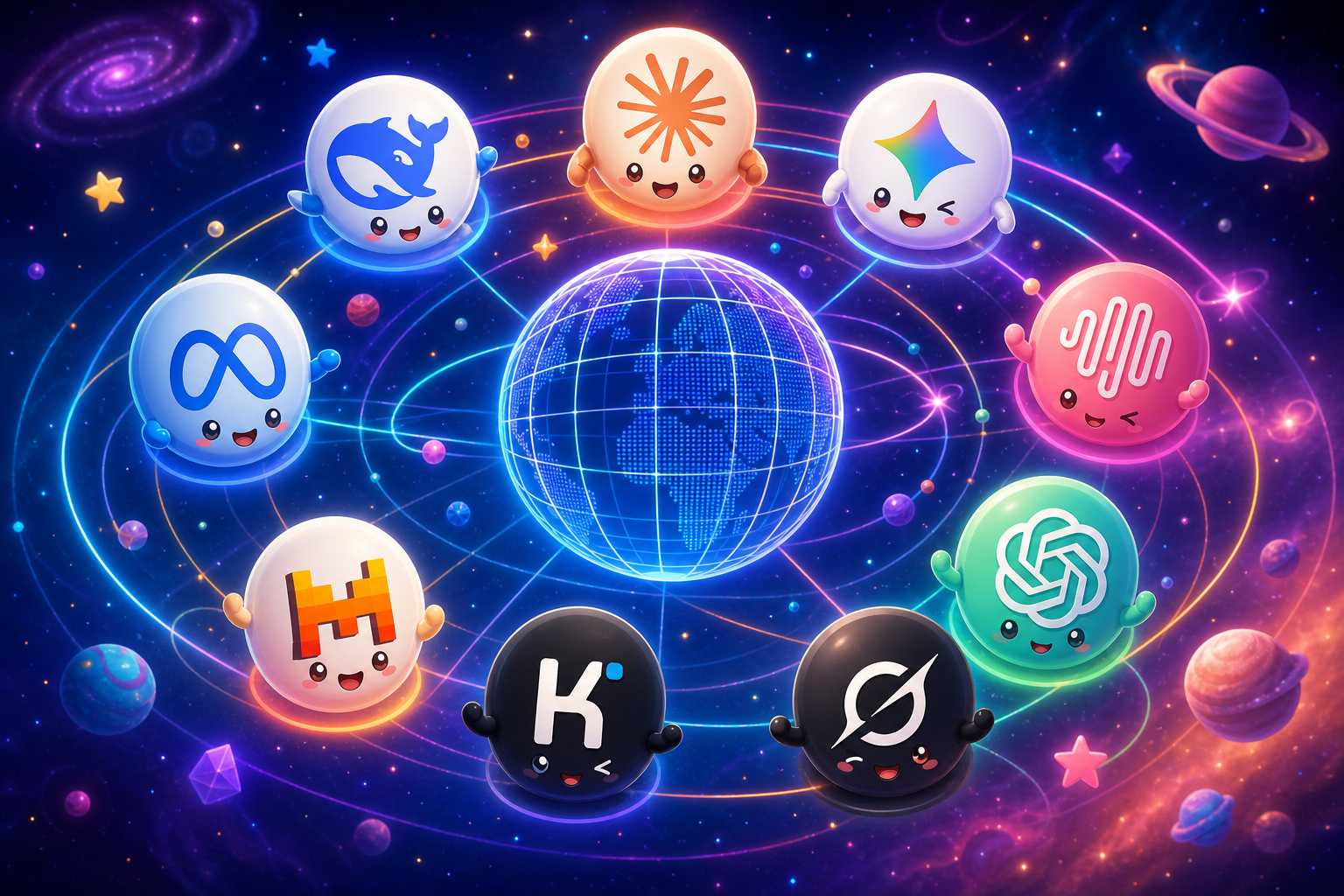
ChatGPT changed everything. That part is not up for debate. But something shifted in the last year that most people haven't fully caught up with yet. The AI market fractured, in the best possible way. Today, there are dozens of models competing at the frontier, and each one has carved out a lane where it genuinely outperforms the rest. ChatGPT is still excellent. But it is no longer the best AI for every task. Not even close. The problem is that most people are still treating AI like a single subscription decision. Pick one chatbot. Stick with it. That thinking made sense in 2022. In 2026, it's leaving serious capability on the table. This guide breaks down the best ChatGPT alternatives available right now — what each one does better, who it's built for, and when you should reach for it instead. And at the end, we'll show you why the smartest move isn't picking one alternative. It's having all of them.
Why More People Are Looking for ChatGPT Alternatives
It's not that ChatGPT got worse. It's that everything else got dramatically better.
A few things are driving the shift:
One model can't be best at everything. Writing, coding, reasoning, video analysis, long documents — these are different problems. Different architectures solve them differently.
Pricing adds up fast. ChatGPT Plus is $20/month. Claude Pro is $20/month. Gemini Advanced is $20/month. If you're using two or three AI tools, you're already at $40–$60/month before you've touched video, image, or audio generation.
The best models aren't always in the ChatGPT app. The most capable models from Anthropic, Google, xAI, DeepSeek, and others aren't accessible through OpenAI's interface. You're locked into one company's ecosystem — and that ecosystem, no matter how good, isn't best-in-class at everything.
AI is no longer just chat. The most powerful AI workflows in 2026 involve image generation, video creation, music production, and multimodal input. ChatGPT alone doesn't cover that stack.
The smartest users are no longer asking which chatbot to subscribe to. They're asking which model to use for this task.
Quick Comparison: The Best ChatGPT Alternatives at a Glance
Model | Best For | Why It Stands Out |
|---|---|---|
DeepSeek V4 Flash | Fast, cheap everyday tasks | Extremely low cost with solid output quality |
DeepSeek V4 Pro | Budget-conscious power use | Strong reasoning and coding at a fraction of GPT pricing |
Claude Haiku | Lightweight, fast responses | Clean, quick, great for simple tasks |
Claude Sonnet | All-around daily default | Best balance of quality, speed, and reliability |
Claude Opus | Complex reasoning and high-stakes work | Consistently the most thoughtful and nuanced model |
Kimi 2.6 | Long documents and massive context | Handles enormous inputs without losing the thread |
Gemini Flash Lite | Ultra-low-cost bulk tasks | Fastest and cheapest for repetitive, high-volume work |
Gemini Flash | Speed plus multimodal flexibility | Fast responses with strong mixed-input handling |
Gemini 3.1 Pro | Video, YouTube, and multimodal understanding | Native video ingestion that ChatGPT simply can't match |
Grok 4 | Real-time, web-aware conversation | Feels current — knows what's happening right now |
1. DeepSeek V4 Flash — Best Cheap and Fast ChatGPT Alternative
What it's best for: Fast drafts, rewrites, summaries, quick research, and any task where speed and cost matter more than maximum depth.
Why people choose it over ChatGPT: The cost difference is dramatic. DeepSeek V4 Flash delivers solid, usable output at a fraction of what premium GPT-tier usage costs. For routine work — drafting emails, summarizing documents, generating first-pass content — it performs well above its price point.
Who should use it: Anyone doing high-volume, everyday AI tasks who doesn't need the heaviest model for every prompt. Great for teams watching spend.
When not to use it: Complex reasoning, nuanced writing, or anything where you need the model to really think. Flash is fast, not deep.
2. DeepSeek V4 Pro — Best Value Alternative for Serious Work
What it's best for: Coding, analysis, structured reasoning, and longer-form tasks where you need real capability without paying OpenAI's premium pricing.
Why people choose it over ChatGPT: DeepSeek V4 Pro punches well above its cost. For developers and analysts who run a lot of prompts, the economics are hard to ignore — you get serious model capability for significantly less than comparable GPT usage. It's not a downgrade. It's a smarter spend.
Who should use it: Developers, data analysts, technical users, and anyone who needs capable AI at scale without a bloated bill.
When not to use it: If you specifically need the cultural nuance or writing quality of Claude, or the multimodal depth of Gemini, DeepSeek Pro is not the right tool.
3. Claude Haiku — Best for Fast Everyday Prompts
What it's best for: Quick responses, short-form writing, email drafts, customer support copy, and any task where you need a clean, fast answer.
Why people choose it over ChatGPT: Haiku is Anthropic's lightweight model, and it carries Claude's characteristic clarity and tone even at speed. For simple tasks, it often feels cleaner and more direct than heavier models.
Who should use it: Anyone who needs a fast, reliable AI for daily lightweight tasks — customer-facing teams, content editors, operations staff.
When not to use it: Anything requiring deep reasoning, complex strategy, or long-form analysis. That's what Sonnet and Opus are for.
4. Claude Sonnet — Best Overall Alternative for Most Users
What it's best for: Writing, analysis, coding, research, and general professional use. This is the model most people should be using as their daily default.
Why people choose it over ChatGPT: Claude Sonnet consistently delivers writing that feels more thoughtful and less generic. It handles nuance well, follows complex instructions reliably, and produces output that often requires less editing. For professionals who live in their AI tool, Sonnet is a strong upgrade.
Who should use it: Marketers, founders, writers, consultants, and anyone who needs a high-quality all-rounder for daily work.
When not to use it: If your top priority is absolute lowest cost or maximum speed on simple tasks, Haiku or DeepSeek Flash will serve you better.
5. Claude Opus — Best for Complex Thinking and High-Stakes Work
What it's best for: Hard reasoning problems, strategic analysis, nuanced long-form writing, research synthesis, and any task where the quality of thinking matters most.
Why people choose it over ChatGPT: Claude Opus is widely regarded as one of the most consistently intelligent and thoughtful models available. It doesn't just answer — it reasons. It considers context, catches edge cases, and produces work that reflects genuine depth. For high-stakes outputs, it's the model many professionals reach for first.
Who should use it: Executives, researchers, strategists, senior writers, and anyone producing work where quality is non-negotiable.
When not to use it: Routine tasks. Opus is powerful, but using it for simple prompts is like using a precision instrument to open a box. Use Haiku or Sonnet for everyday work.
→ Read our full Claude Opus 4.6 guide
6. Kimi 2.6 — Best for Long Context and Big Documents
What it's best for: Processing long PDFs, analyzing large codebases, working through extensive research documents, and any task where you need the model to hold a lot of information at once.
Why people choose it over ChatGPT: Context window limitations are a real frustration. When you're working with a 200-page document or a large dataset, many models start to lose the thread. Kimi 2.6 is built for exactly this — it handles massive inputs without degrading in quality as the context grows.
Who should use it: Researchers, lawyers, analysts, developers working with large codebases, and anyone regularly dealing with long or complex documents.
When not to use it: Short, conversational tasks. Kimi's strength is context depth — for quick prompts, lighter models are faster and more cost-effective.
7. Gemini Flash Lite — Best for Ultra-Low-Cost Tasks
What it's best for: Bulk processing, classification, data extraction, repetitive prompts, and any high-volume workflow where cost per query matters.
Why people choose it over ChatGPT: For teams running AI at scale — thousands of prompts, automated pipelines, classification tasks — Gemini Flash Lite offers Google-quality output at the lowest possible cost. It's not trying to be the smartest model. It's trying to be the most efficient one.
Who should use it: Developers, ops teams, and anyone building automated AI workflows that need to run cheaply and reliably.
When not to use it: Creative work, complex reasoning, or anything requiring depth. This is a volume tool, not a quality tool.
8. Gemini Flash — Best for Fast Multimodal Work
What it's best for: Daily assistant tasks that involve mixed inputs — text, images, documents — where you need fast responses without sacrificing too much capability.
Why people choose it over ChatGPT: Gemini Flash handles multimodal input natively and quickly. If your workflow involves images alongside text, or you're working across different content types in the same conversation, Flash handles it smoothly without the latency of heavier models.
Who should use it: Anyone who regularly works with images, documents, and text together and needs a responsive, capable daily assistant.
When not to use it: Deep video analysis or the most demanding reasoning tasks — that's where Gemini 3.1 Pro takes over.
9. Gemini 3.1 Pro — Best for Video, YouTube, and Multimodal Understanding
What it's best for: Analyzing video content, processing YouTube links, understanding visual context, and any task that requires genuine multimodal intelligence.
Why people choose it over ChatGPT: This is one of the clearest capability gaps in the market right now. ChatGPT is a text-first model. Gemini 3.1 Pro was built from the ground up for multimodal understanding — and that difference is significant in practice.
You can hand Gemini 3.1 Pro a YouTube URL and ask it to summarize, analyze, or pull specific information from the video. You can give it video files and ask questions about what's happening on screen. You can combine video, images, and text in a single prompt and get a response that accounts for all of it. ChatGPT simply cannot do this natively at the same level.
For content creators, researchers, marketers, and anyone working with video as part of their workflow, Gemini 3.1 Pro is not just a ChatGPT alternative — it's a different class of tool entirely.
Who should use it: Content creators, video marketers, researchers, educators, and anyone who works with video or mixed media regularly.
When not to use it: Pure text tasks where you don't need multimodal capability. For straight writing or coding, Claude or DeepSeek may serve you better.
→ Read our full Gemini 3.1 Pro guide
10. Grok 4 — Best for Real-Time, Conversational Search-Like AI, and less censored outputs.
What it's best for: Current events, real-time information, web-aware conversation, and tasks where you need AI that knows what's happening right now.
Why people choose it over ChatGPT: Grok has a personality and a pulse. It's connected to real-time information, which means it doesn't give you the "my knowledge cuts off in..." disclaimer on every topical question. For users who want AI that feels current and conversational rather than encyclopedic and cautious, Grok is a genuinely different experience.
Who should use it: Journalists, social media managers, trend-watchers, and anyone who needs AI that's plugged into the present moment.
When not to use it: Deep document analysis, long-form writing, or tasks requiring careful, methodical reasoning. Grok is sharp and current — not necessarily the most thorough.
Beyond Chat: MiniMax 3, Seed 2.0, and the Media Stack ChatGPT Doesn't Have
Here's where the conversation shifts entirely.
Everything above is about chat and reasoning — the lane ChatGPT was built for. But in 2026, AI is not just chat. And this is where the gap between ChatGPT and a platform like Kunya becomes impossible to ignore.
Video generation. ChatGPT doesn't generate video. Kunya gives you access to Sora 2, Google Veo, Kling 2.5 Pro, Wan, Seedance, and HunyuanVideo — the best video generation models in the world, all in one place. Text-to-video and image-to-video, depending on what your workflow needs.
→ See what Google Veo 3.1 can do
Music generation. ChatGPT doesn't generate music. Kunya has MiniMax Music for full songs, Google Lyria RealTime for streaming instrumentals, Sonauto for structured compositions, and CassetteAI for fast instrumental tracks. For creators, this is not a minor feature — it's an entirely new creative capability.
Image generation — best-in-class at every task. ChatGPT has image generation. But it's one model. Kunya gives you DALL-E 3, GPT Image, FLUX variants, Stable Diffusion 3.5, Imagen, Aurora, Seedream, and more — including image editing and LoRA support. Different image models excel at different things: photorealism, illustration, editing, style transfer. Having access to all of them means you're always using the best tool for the specific image you need.
MiniMax 3 brings multimodal agent-like flexibility — useful for complex workflows that blend different content types and require the model to act, not just respond.
Seed 2.0 is built for creative generation and visual storytelling — a strong choice for creators who want AI that understands the language of visual narrative.
The point is this: ChatGPT is a chat product. Kunya is an AI operating system. The comparison isn't really about which chatbot is better. It's about whether you want one tool or the whole stack.
Why the Best ChatGPT Alternative Is Kunya
Let's be direct about what the real problem is.
If you want the best AI for writing, you'd use Claude. If you want the best AI for video understanding, you'd use Gemini. If you want the cheapest capable model for daily use, you'd use DeepSeek. If you want real-time awareness, you'd use Grok. If you want video generation, you'd need a separate tool entirely. Same for music. Same for image editing.
That stack, if you subscribed to each individually, would cost you somewhere between $150 and $300 per month. And you'd be switching between five different apps, managing five different accounts, and losing context every time you moved between them.
Kunya is the answer to that problem.
With Kunya, you get:
100+ AI models — including every model in this article — accessible from one interface
Image generation — Nanobanana Pro, GPT Image 2, FLUX, Stable Diffusion, Imagen, Aurora, Seedream 5, and more
Video generation — Sora 2, Veo, Kling 3, Wan, Seedance 2, HunyuanVideo
Music generation — Suno V5, Elevenlabs Music, MiniMax Music, Google Lyria RealTime
Writing Studio — long-form writing with brand voice profiles and tone control
Workspaces — collaborative, AI-native workspaces with 100+ models on every page
AI Voice Calls — real phone numbers, inbound and outbound AI call agents
API Platform — OpenAI-compatible API for all 100+ models with one key
Starter plan starts at $19/month. Professional at $29.99/month. And you can start with a free trial — no credit card required.
With Kunya, you're not choosing one AI. You're choosing the best AI for every task.
Try Every Model in This Article — Free
No credit card required. All 100+ models unlocked from day one. Start with chat, explore image and video generation, and see why thousands of creators and teams have replaced their entire AI stack with Kunya.
Final Verdict
ChatGPT is not going anywhere. It's a great product and it will continue to improve. But the era of one-model-fits-all is over.
In 2026, the best AI users are not loyal to one model. They're strategic about which model they reach for and why. Claude for thinking. Gemini for video. DeepSeek for cost-efficient scale. Grok for what's happening now. Kimi for long documents. And a full media stack for everything chat can't touch.
The question is no longer "ChatGPT or something else?" The question is: do you want to manage five subscriptions across five apps, or do you want one platform that gives you the best AI for every task?
That's what Kunya is built for.